


Gate.io is one of the largest and longest-running cryptocurrency exchanges, supporting spot trading, futures, copy trading, staking, startup launchpad, and more.
To trade, you need to create an account and complete identity verification.
✅ 1. What to Prepare Before Registering
You will need:
- 📧 A valid email address or 📱 phone number
- 🔐 A strong password
- 🪪 National ID card, passport, or driver’s license (for KYC)
- 📱 A smartphone with a camera
⚠️ Note: Make sure Gate.io services are allowed in your country/region.
🖥️ 2. Registering a Gate.io Account on Desktop
🔹 Step 1 – Go to the official Gate.io website
🔹 Step 2 – Click Sign Up / Register
🔹 Step 3 – Choose registration method
- Email
or - Phone number
🔹 Step 4 – Enter referral code ( VllGAQte )
🔹 Step 5 – Agree to the Terms of Service
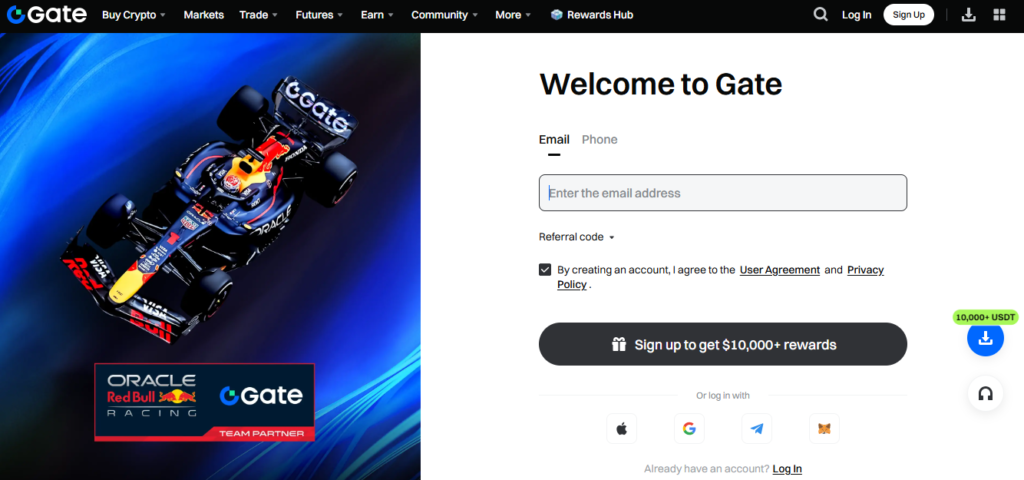
🔹 Step 6 – Enter verification code
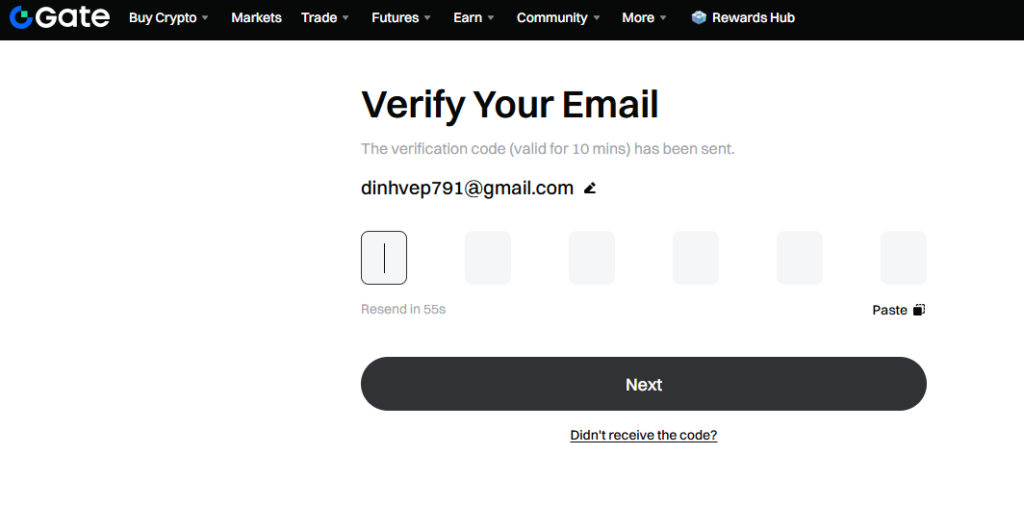
Gate.io will send a code to:
- Your email
or - SMS
🔹 Step 7 – Create your password
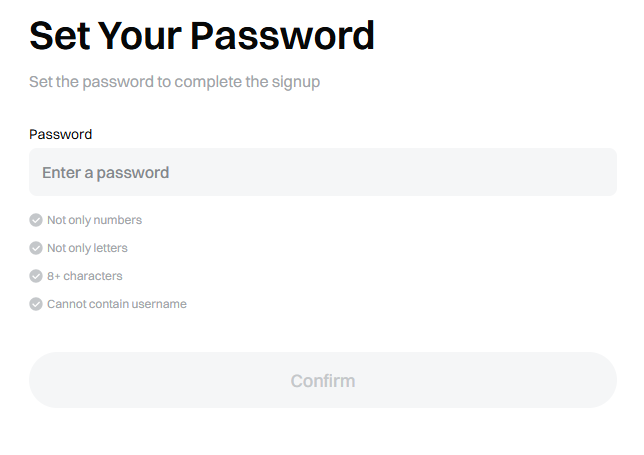
Click Confirm
✔️ Done — your Gate.io account is now created.
🛂 3. Completing KYC Identity Verification on Gate.io
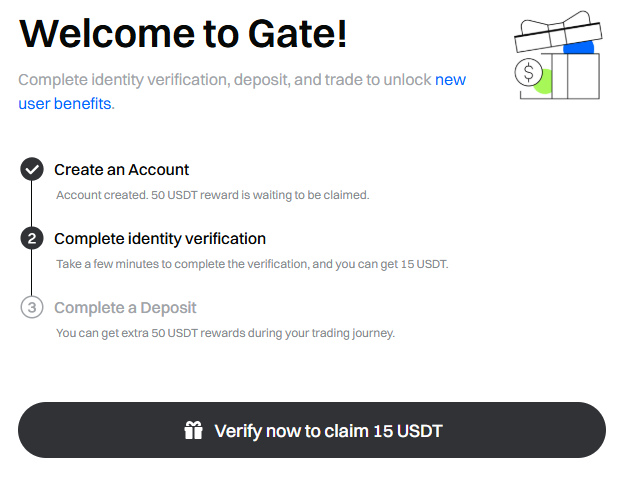
KYC allows you to:
- Increase withdrawal limits
- Use P2P trading
- Buy crypto using fiat currency
🔹 KYC steps
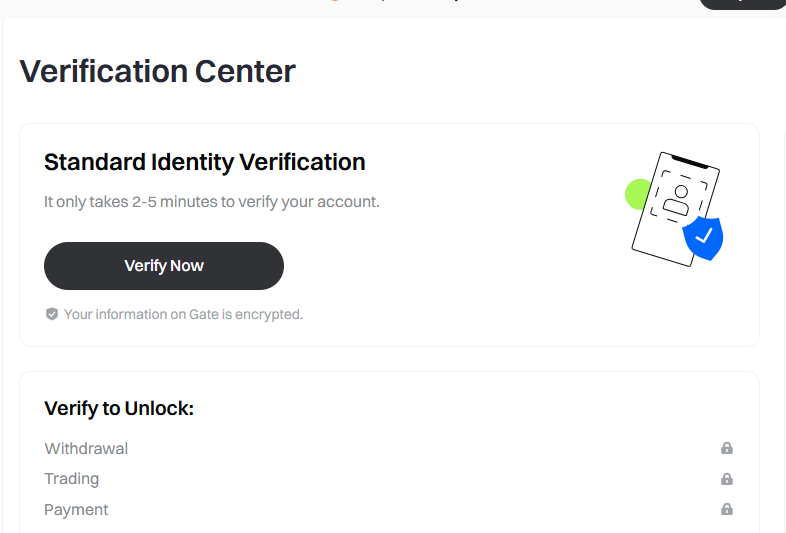
- Go to Profile → Verification (KYC)
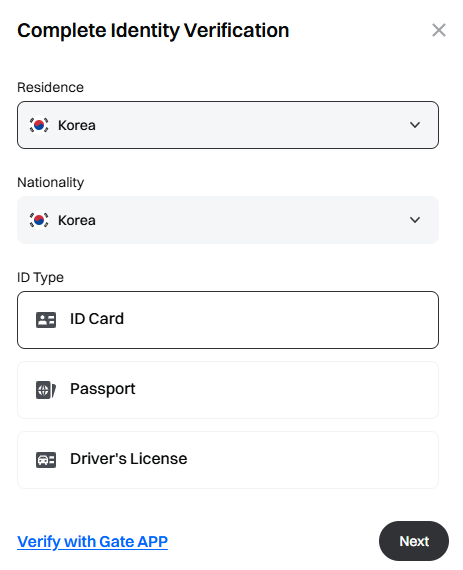
- Choose your verification level
- Upload document photos:
- National ID / Passport / Driver’s license
- Take a selfie or face-liveness check
- Submit your information
⏱️ Review time: from a few minutes up to 24 hours
📱 4. Registering via the Gate.io Mobile App
🔹 Step 1 – Download the Gate.io app
- App Store (iOS)
- Google Play (Android)
🔹 Step 2 – Open the app → tap Sign Up
🔹 Step 3 – Choose email or phone registration
🔹 Step 4 – Enter your details and complete OTP verification
Your account will be activated after entering the verification code.
🔐 5. Securing Your Gate.io Account
Very important — you should enable:
- Google Authenticator (2FA)
- Anti-phishing code
- Separate withdrawal password
- Withdrawal address whitelist
How to enable 2FA
- Go to Security Settings
- Select Google Authenticator
- Scan the QR code
- Save the backup key
- Enter the verification code
⚠️ Never share OTP codes or backup keys with anyone.
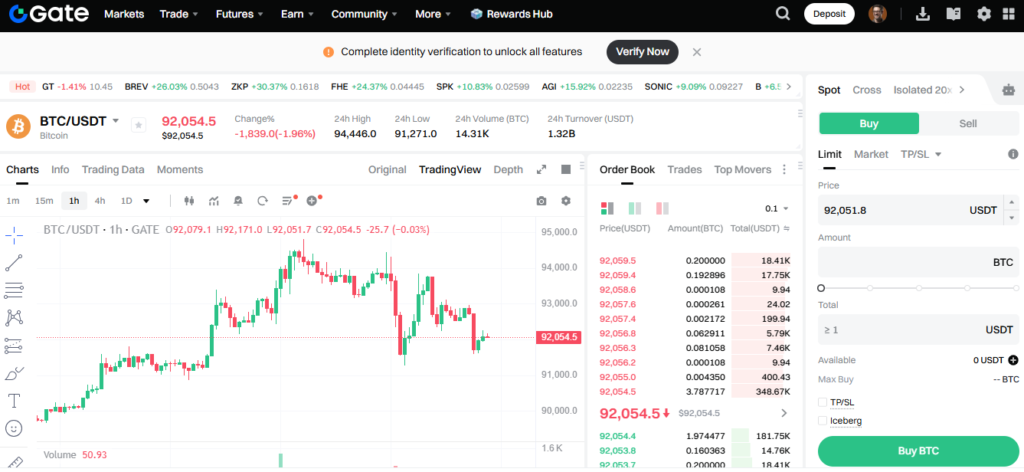
💰 6. Deposit Funds and Start Trading
You can:
- Deposit cryptocurrency
- Buy crypto with bank card
- Trade via P2P
🔹 How to deposit crypto
- Go to Wallet
- Click Deposit
- Select the coin and blockchain network
- Copy the wallet address
- Transfer from another wallet/exchange
✔️ Always check the correct network (ERC20, TRC20, BEP20, etc.)

