

1. What is KuCoin?
KuCoin is one of the world’s largest cryptocurrency exchanges, offering:
- Hundreds of listed cryptocurrencies
- Spot and futures trading
- Staking, lending, and savings products
- Mobile and desktop apps
- Low and competitive trading fees
Reminder: Cryptocurrency trading involves risk. Always do your own research.
2. What you need before registering
Prepare the following:
- A valid email address
- Or a phone number
- A strong password
- A smartphone for mobile app and 2FA
- ID document (ID card, Passport, or Driver’s license) for KYC verification
3. How to register a KuCoin account
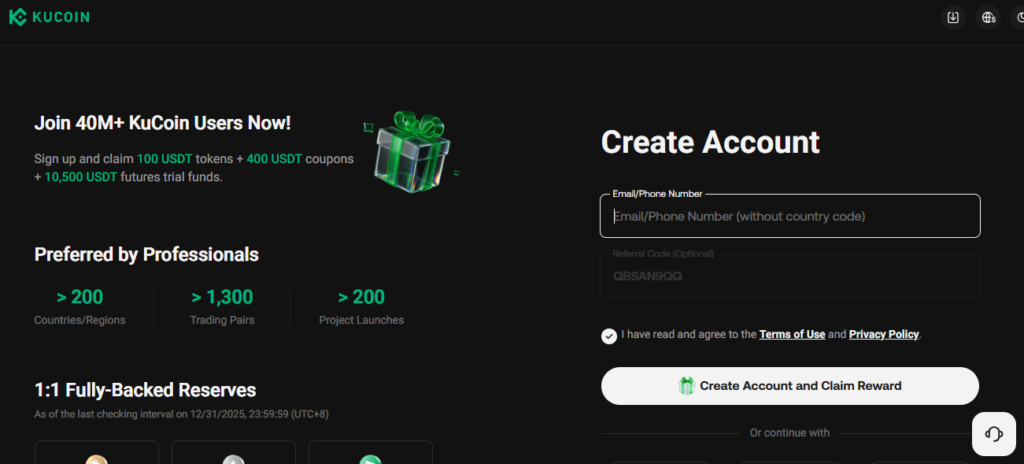
Step 1 — Go to KuCoin website or app
- Visit KuCoin’s official website
- Or download KuCoin app from Google Play/App Store
- Click Sign Up / Register
- Referral code ” QBSAN9QQ “
Step 2 — Choose registration method
You can register via:
- Email address
- Phone number
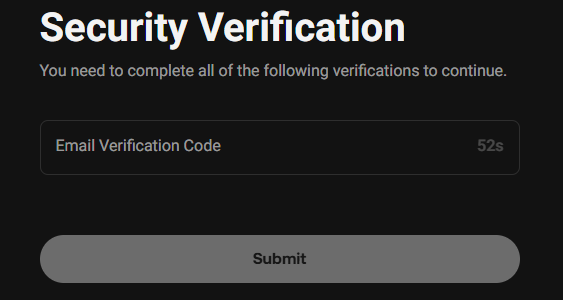
Verification code sent to your email or SMS
Step 3 — Fill in your information
Enter:
- Strong password (minimum 8 characters, mix of letters, numbers, symbols)
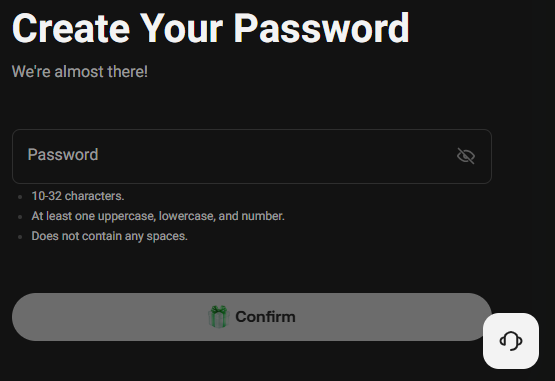
Click Confirm to complete account creation.
5. Complete KYC identity verification
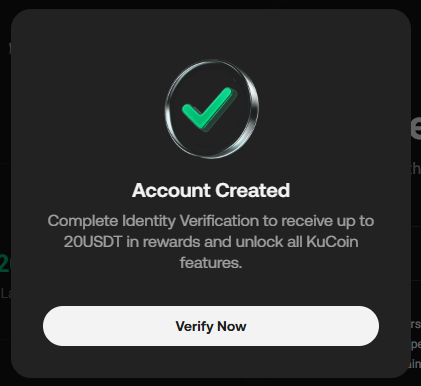
KYC allows:
- Higher withdrawal limits
- Full access to all features
Steps:
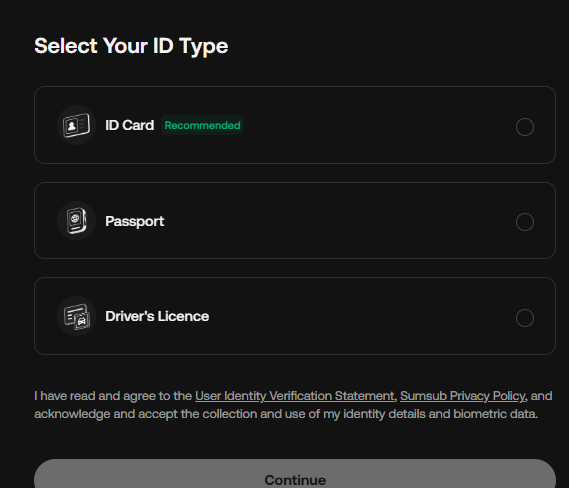
- Open Identity Verification
- Choose Individual Verification
- Fill in personal details
- Upload:
- Front of ID document
- Back of ID document
- Selfie with document as requested
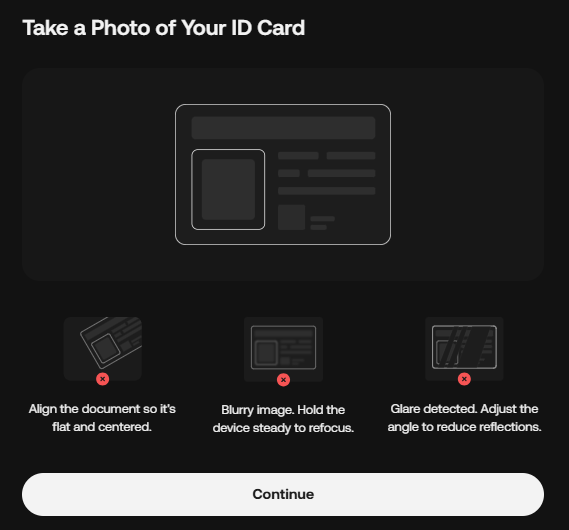
Review time: usually minutes to 24 hours.
4. Secure your KuCoin account (very important)
Immediately after registering, set up security features.
✓ Enable Google Authenticator (2FA)
- Go to Security Settings
- Select Google 2-Step Verification
- Scan QR code with Google Authenticator
- Save your backup recovery key safely
✓ Set Anti-phishing Code
This helps you recognize official KuCoin emails.
✓ Create Trading Password
Required when placing trades — adds extra protection.
6. How to deposit funds to KuCoin
You can deposit crypto in several ways:
Option 1 — Deposit cryptocurrency from another wallet
- Click Deposit
- Choose your coin (USDT, BTC, ETH, etc.)
- Select correct network (ERC20, TRC20, BEP20…)
- Copy deposit address and transfer funds
⚠ Always choose the correct network or funds may be lost.
Option 2 — Buy crypto with bank card
- Go to Buy Crypto / Fast Buy
- Use Visa or Mastercard
Option 3 — P2P trading (bank transfer available)
- Buy directly from other users
- Multiple local payment methods supported
7. Start trading on KuCoin
After depositing, you can:
- Spot trading – buy and sell crypto normally
- Futures trading – trade contracts with leverage
- KuCoin Earn – staking, lending, and savings
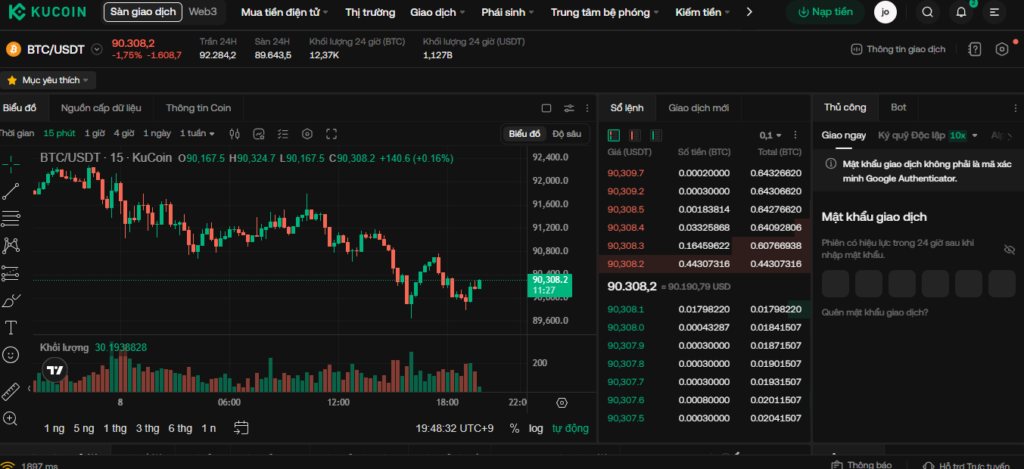
Beginners are recommended to start with Spot trading only.
8. KuCoin fees overview
- Spot trading fee: about 0.1% (discount with KCS)
- Futures fee: lower than spot
- Deposit fee: usually free
- Withdrawal fee: depends on token and network
9. Important safety tips for beginners
- Never share passwords or 2FA codes
- Double-check wallet addresses before transfers
- Avoid “VIP signal groups” and guaranteed profit claims
- Invest only what you can afford to lose
- Keep backup recovery codes offline
10. Conclusion
With just a few steps:
- Register
- Secure your account
- Verify your identity
- Deposit funds
- Start trading
you are ready to explore cryptocurrency trading on KuCoin confidently.

