


OKX is one of the world’s leading cryptocurrency exchanges, trusted by millions of users globally. The platform supports spot trading, futures, options, staking, DeFi, Web3 wallet integration, and many other advanced crypto services.
In this guide, you will learn how to register an OKX account step by step, quickly, safely, and correctly — even if you are a complete beginner.
Why Choose OKX?
- 🌍 Global crypto exchange with high liquidity
- 🔐 Strong security system & proof-of-reserves
- 📈 Supports Spot, Futures, Options, and Earn products
- 🧩 Integrated Web3 Wallet & DeFi access
- 📱 User-friendly interface on both Web & Mobile App
How to Register an OKX Account on Website (Web)
Step 1: Visit the Official OKX Website
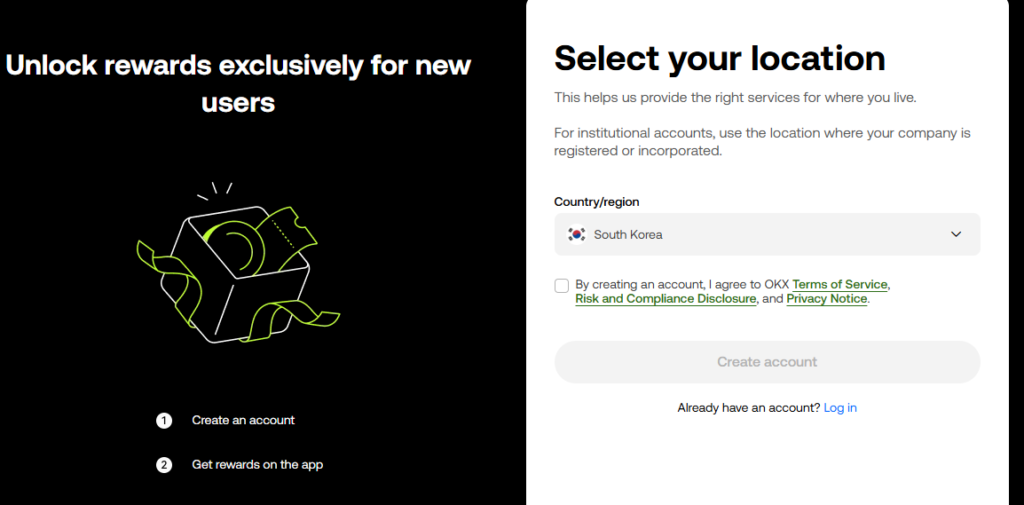
Choose your country
Open your browser and go to the official OKX registration page:
👉 https://www.okx.com
Click “Sign Up” at the top right corner.
Step 2: Enter Account Information
Fill in the required details:
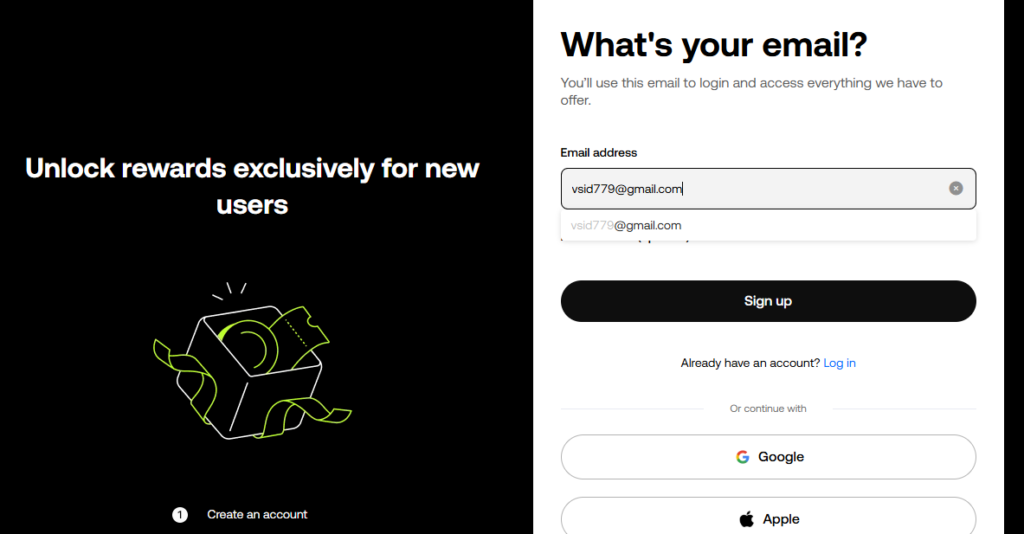
You can register using:
- Email address
- Mobile phone number
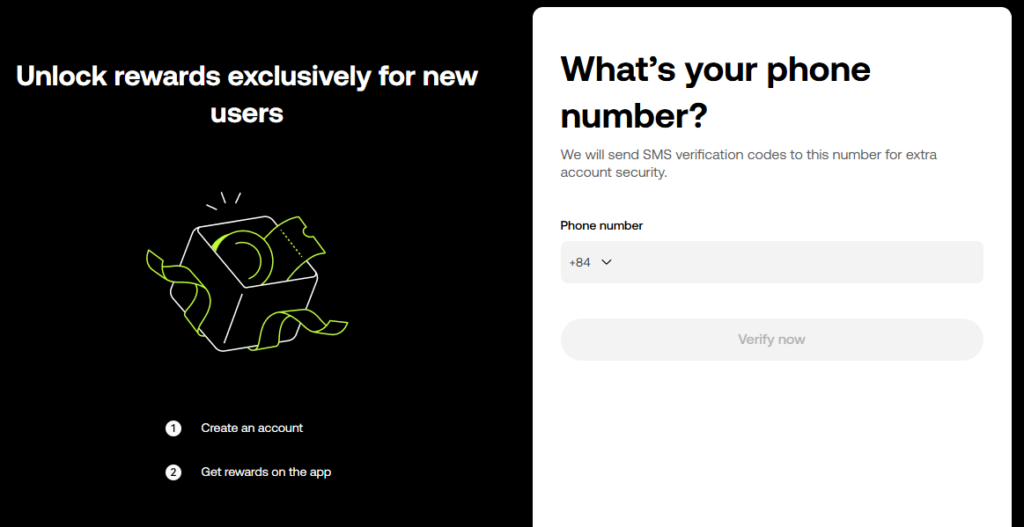
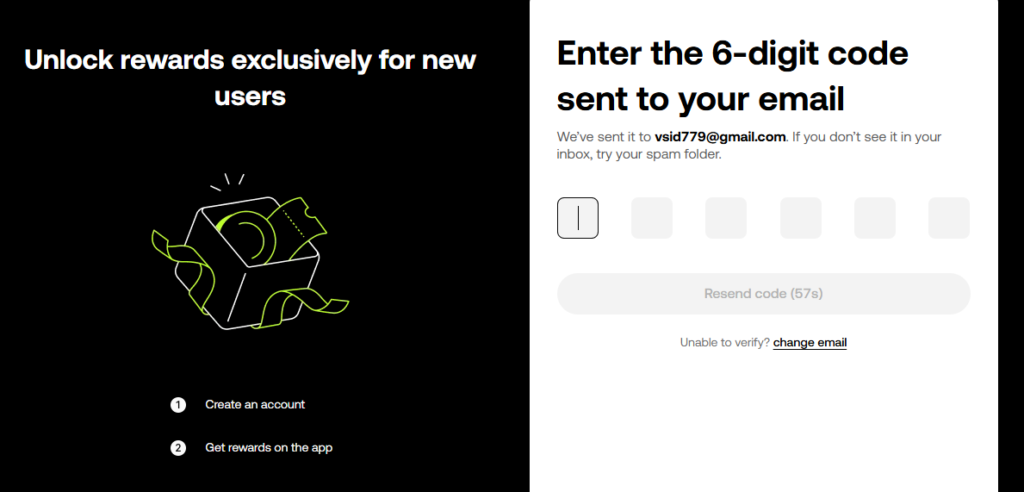
Enter the email verification code and phone number.
- Step 3: create your password
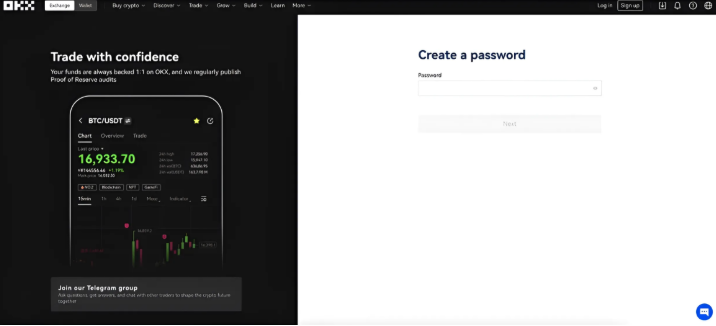
- At least 8 characters
- Includes uppercase letters, lowercase letters, numbers, and symbols (strong password recommended)
- Referral Code (95271421)
Click Next to continue.
Step 4: Verify Your Account
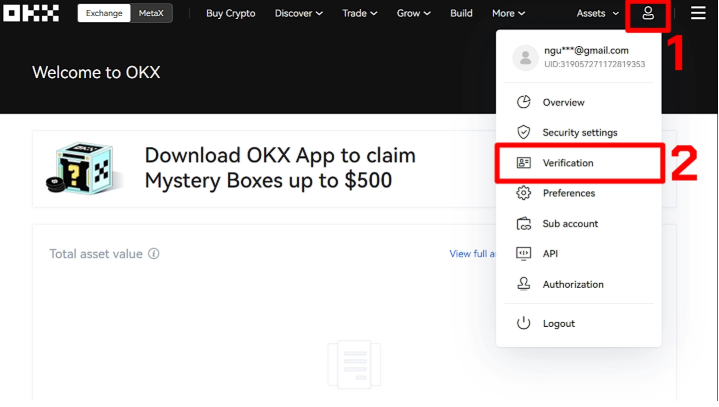
- Enter the verification code sent to your email or phone
- Complete the security verification (captcha)
Once verified, your OKX account will be successfully created.
How to Register on the OKX Mobile App
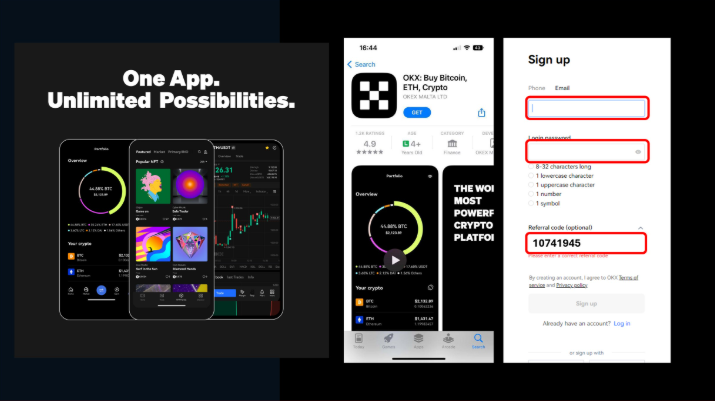
Step 1: Download the OKX App
Download the official OKX app from:
- App Store (iOS)
- Google Play (Android)
Step 2: Open App & Sign Up
- Open the app
- Tap “Sign Up”
- Choose Email or Phone registration
Step 3: Enter Information & Verify
- Enter email/phone number
- Create password
- Complete verification code & security check
Your account will be ready within minutes.
KYC Verification on OKX (Highly Recommended)
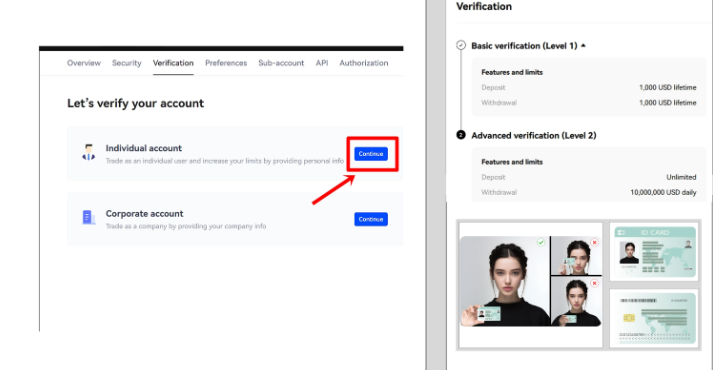
After registering, you can trade immediately. However, to unlock full features and higher withdrawal limits, you should complete KYC (Identity Verification).
OKX KYC Levels
Level 1 – Basic Verification
- Submit personal information
- Upload ID document (ID card, passport, or driver’s license)
- Allows higher withdrawal limits
Level 2 – Advanced Verification
- Facial recognition scan
- Maximum withdrawal limits
- Full access to OKX features
KYC helps protect your account, prevent fraud, and recover access if needed.
How to Complete KYC on OKX
- Go to Profile Icon
- Select Identity Verification
- Choose verification level
- Upload required documents
- Complete face scan
- Wait for approval (usually within minutes to a few hours)
Security Tips After Registration
- ✅ Enable 2FA (Google Authenticator)
- ✅ Set up Anti-phishing code
- ✅ Enable withdrawal whitelist
- ❌ Never share your login or verification codes
Final Thoughts
Registering on OKX is simple, fast, and beginner-friendly. With strong security, diverse trading products, and Web3 integration, OKX is an excellent choice for both new and professional crypto traders.
👉 Create your OKX account today and start your crypto journey with confidence!

